Get your Podcast on YouTube
Listening to Mac Power Users I heard about a new(ish) feature where YouTube will import podcasts for listening to on YouTube.
We’ve had a podcast hosted on the church website and listed with Apple Podcasts, Spotify, and the other major Podcast libraries for years–but lots of people at church or looking for a new church aren’t Podcast listeners. But they do know how to YouTube.
To host your Podcast on YouTube, all you need is an RSS feed (if you’ve got a podcast, then you’ve got this). But there are a few catches
- Your podcast must not contain any copyright music. Should be fine for a sermon podcast, unless you’ve got intro/outro music.
- If you have ‘sponsor’ messages, this needs to be declared. Once again, probably not in a sermon podcast.
To get started:
- Go to the YouTube menu (top right corner) and click ‘YouTube Studio)
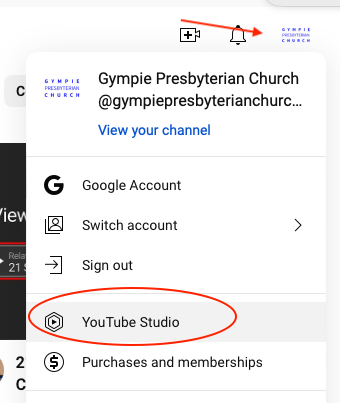
- In studio, click
Contentfrom the left side menu, then click thePodcaststab.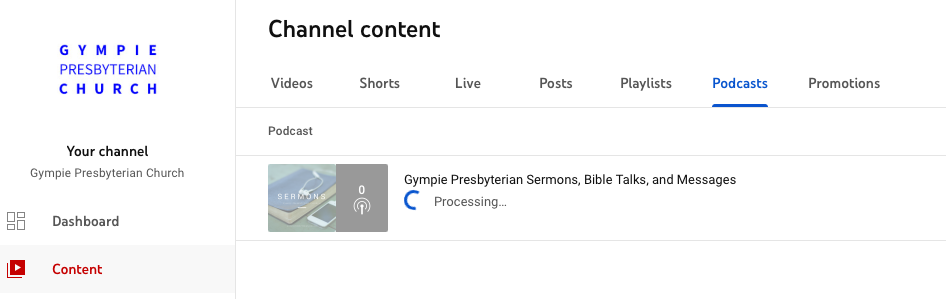
- In the Podcasts tag click
Create Newand follow
Once YouTube has imported your podcasts, by default they’re listed as Private. You’ll need to manually change the visibility to Public if you want people to be able to find your podcast. (This can be done in bulk, but takes a few minutes to get right.)